
Monday.com Integration
How to connect Monday.com to Nomad Media using webhooks, EventBridge, and Lambda functions.
Nomad Media Lambdas for Monday.com are part of this integration.
This guide covers the full setup for integrating Monday.com with Nomad Media, including webhook configuration, Nomad Media configuration, and secrets management.
Step 1 — Set Up the Webhook
This section shows how to create a Monday.com webhook that triggers a Lambda function on board events.
- Go to the board you want to set up the webhook for.
- Click Integrate in the top right of the page.
- Scroll down to Webhooks and click it.
- Select the webhook event to use. Example: When a column changes, send a webhook.
- Enter the invoke URL (from your API Gateway route) in the Webhook URL field, then click Connect.
- Select the values you want to use for the underlined sections and click Add To Board.
When the webhook condition is triggered, the event will be sent to your Lambda. Example event payload:
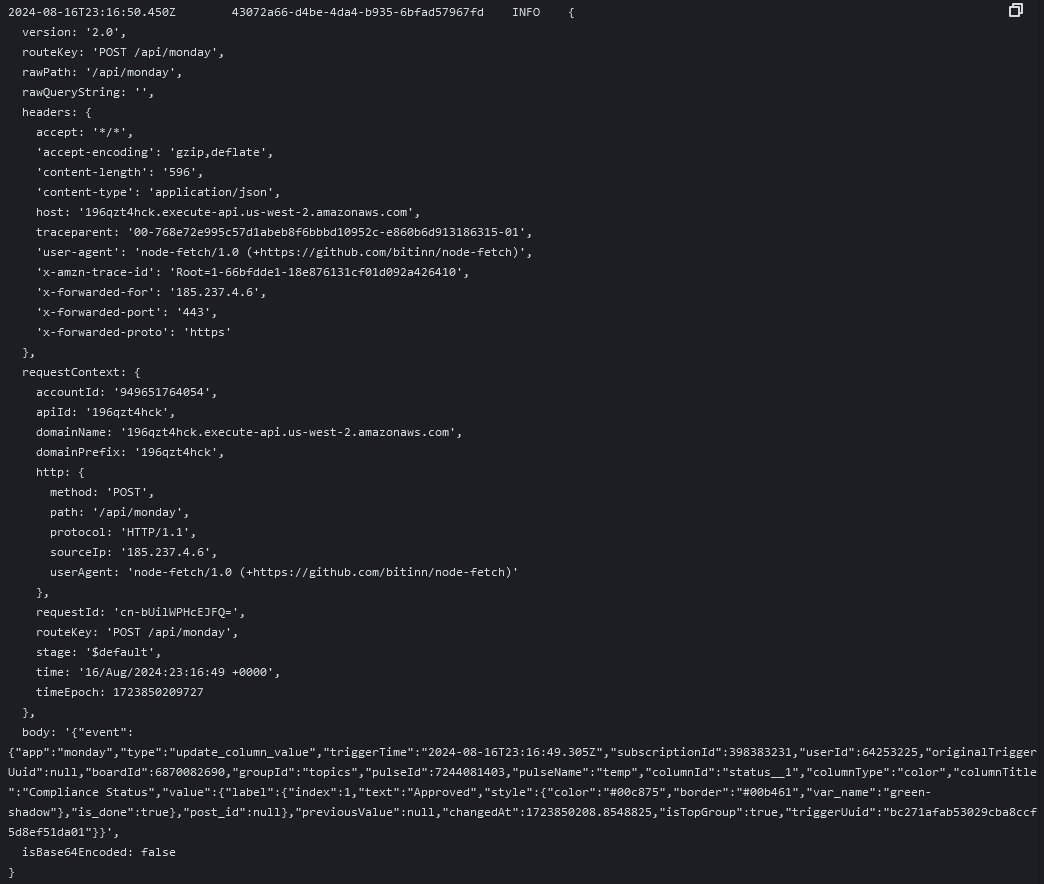
Step 2 — Nomad Media Configuration
Locate your Nomad Media configuration file at /configuration/{environment}.json in your system S3 bucket. Add the following section:
"application/monday": {
    "baseUrl": "https://api.monday.com/v2",
    "boardId": "{BOARD_ID}",
    "secretKey": "{MONDAY_SECRET_KEY}",
    "serviceAccountSecretKey": "{SERVICE_ACCOUNT_SECRET_KEY}",
    "attributes": "{ATTRIBUTES}",
    "compliance": "{COMPLIANCE}",
    "sdkMapping": "{SDK_MAPPING}"
}| Key | Description |
|---|---|
boardId | The ID of the board to use for your Lambda. |
secretKey | The path of the AWS secret where your Monday.com credentials are stored. |
serviceAccountSecretKey | The path of the AWS secret where your Nomad Media credentials are stored. |
For details on configuring attributes, compliance, and sdkMapping, see Asset Webhook Sync Configuration.
Lambda Environment Variables
The Monday Lambdas also require these environment variables:
| Variable | Description |
|---|---|
configS3BucketPath | The S3 path of your environment's configuration JSON. |
debug | Set to true to enable debug log output. |
Step 3 — Secrets
Nomad Media Secret
Store the Nomad Media service account credentials in AWS Secrets Manager:
{
  "username": "USERNAME",
  "password": "{PASSWORD}"
}
Monday.com Secret (OAuth Token)
- Click your profile icon in the top right of Monday.com, then click Developers.
- Click My access tokens in the left sidebar.
- Click Show then Copy to copy your access token.
Store the token in AWS Secrets Manager:
{
  "oauth-token": "{OAUTH_TOKEN}"
}
Updated 7 months ago