
Asset Processor Overview
How the Nomad Media asset processing pipeline works — default processors, parallel execution, and configuration.
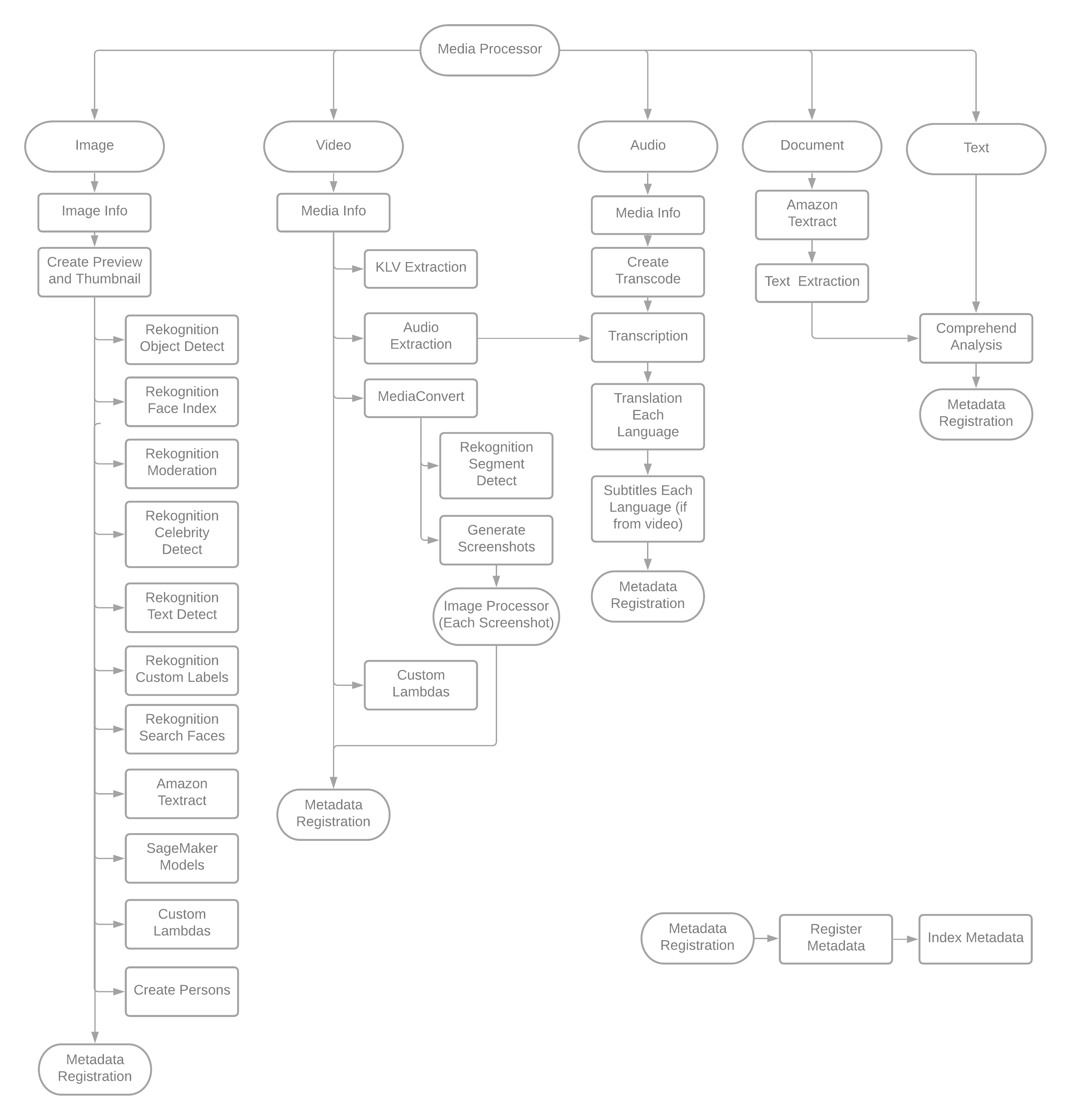
The default asset processing workflow is pre-configured with all processors enabled. The system configuration file (application/processors) determines which processors are actually active for a given environment. Processors can also be replaced or supplemented with custom Lambda functions. Where possible, processors run in parallel to achieve the least dependency overhead and the fastest per-asset processing speed.
How Processing Is Triggered
Assets are processed automatically when files are dropped into a preconfigured S3 bucket. No manual action is required — the pipeline starts on the S3 event trigger.
Supported asset types include:
- Video — transcoded, screenshotted, transcribed, analyzed for labels, faces, and text
- Audio — extracted, transcribed, analyzed
- Images — analyzed for labels, faces, text, celebrity recognition, and unsafe content
- Documents — analyzed via Textract for OCR text extraction
Processor Execution Model
The pipeline coordinates processor state through Redis. Each active processor registers a job key in Redis when it starts and removes it when it completes. When the last processor removes its key, the pipeline triggers the PostProcessAsset step, which assembles and registers the final asset manifest.
This model allows processors to run fully in parallel without blocking each other, while still guaranteeing that the manifest is only written once all processing is complete.
Related Pages
- Asset Statuses — what each asset status means during and after processing
- Format Support — supported input formats per asset type
- Turning On/Off Asset Processors and Dependencies — enabling, disabling, and configuring processors via config rules
- Reprocessing Assets — how to trigger a full or selective reprocess
- Custom Asset Processors — building a custom Lambda processor
Updated 3 months ago