
BrightCove Configuration and SetUp
In order for Nomad Media to talk to BrightCove, a JSON configuration is used to setup the credential information for access. It's stored in the AWS Secrets with a name typically like nomad/{project}/brightcove.
{
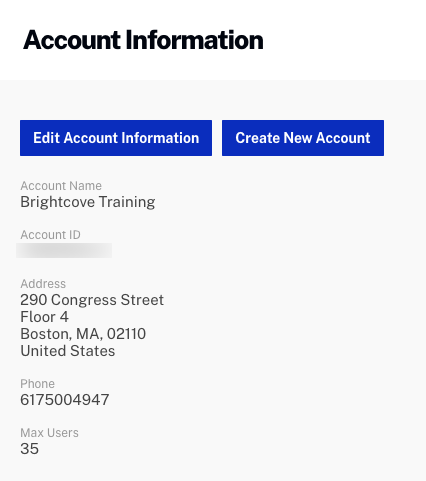
  "AccountId": "{accountId}",
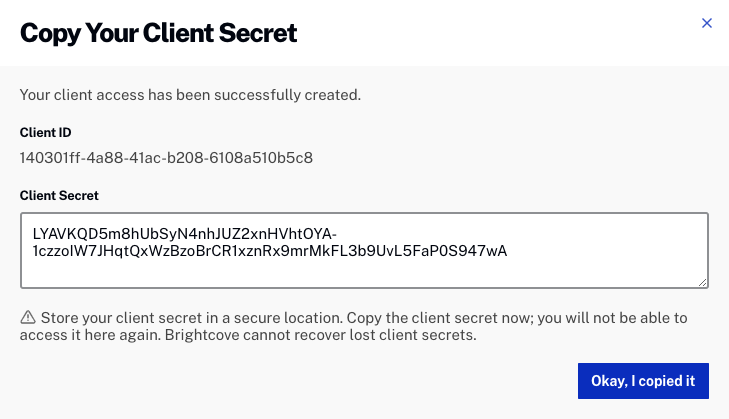
  "ClientId": "{clientId}",
  "ClientSecret": "{secret}"
}
The values for these fields can be found with the BrightCove walkthrough: https://apis.support.brightcove.com/general/managing-api-authentication-credentials.html
| Field Name | Comments |
|---|---|
| AccountId | Found in Studio under Admin > Account Information. See Figure #1 below. |
| ClientId | The API Key Name. See Figure #2 below. |
| ClientSecret | The API Key Secret value. See Figure #2 below. |
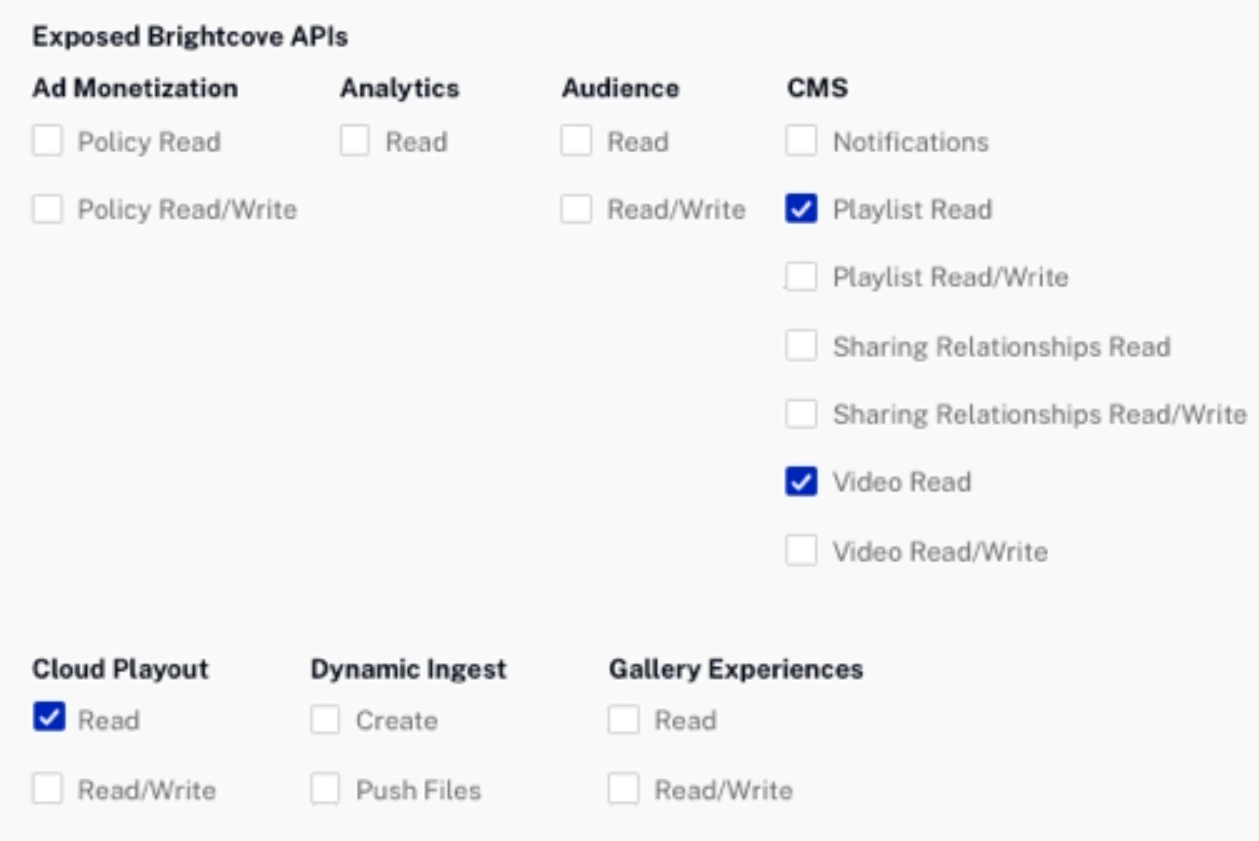
The permissions checked below allow Nomad Media access to the APIs specifically for the asset management.
Downloading Brightcove Masters
In some cases, the Brightcove master video files are not returned in the CMS APIs above. In that situation, an extra step of configuring the Brightcove MRSS feed is required. More information is found here: https://apis.support.brightcove.com/social-syndication/getting-started/download-video-masters.html. After the MRSS feed is created then add the URL to the config section for Brightcove. This tells Nomad Media that it should use that URL for extracting the master video files as per their documentation.
Updated 7 months ago