
Bedrock Configuration
Bedrock Service Model Setup (Console)
Scope of this page: this guide covers Bedrock setup only. For guidance on which AI capabilities to enable first and how to stage them for go-live, see AI Enablement Guide and Phased AI Rollout.
Access to Amazon Bedrock foundation models isn't granted by default. In order to gain access to a foundation model, an IAM user with sufficient permissions needs to request access to it through the console. Once access is provided to a model, it is available for all users in the account.
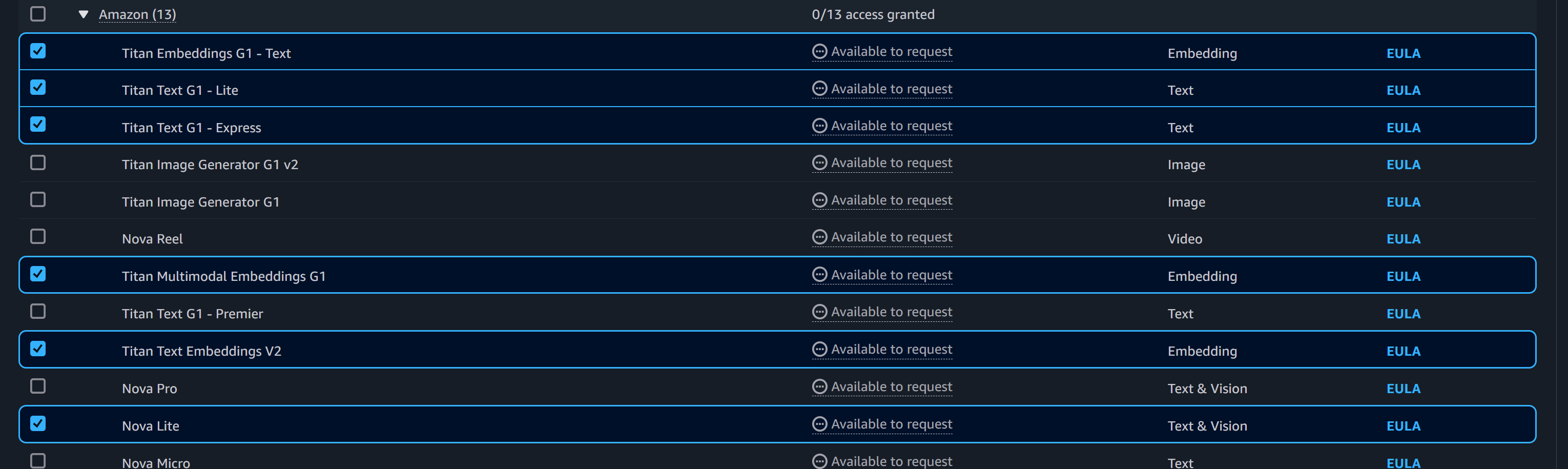
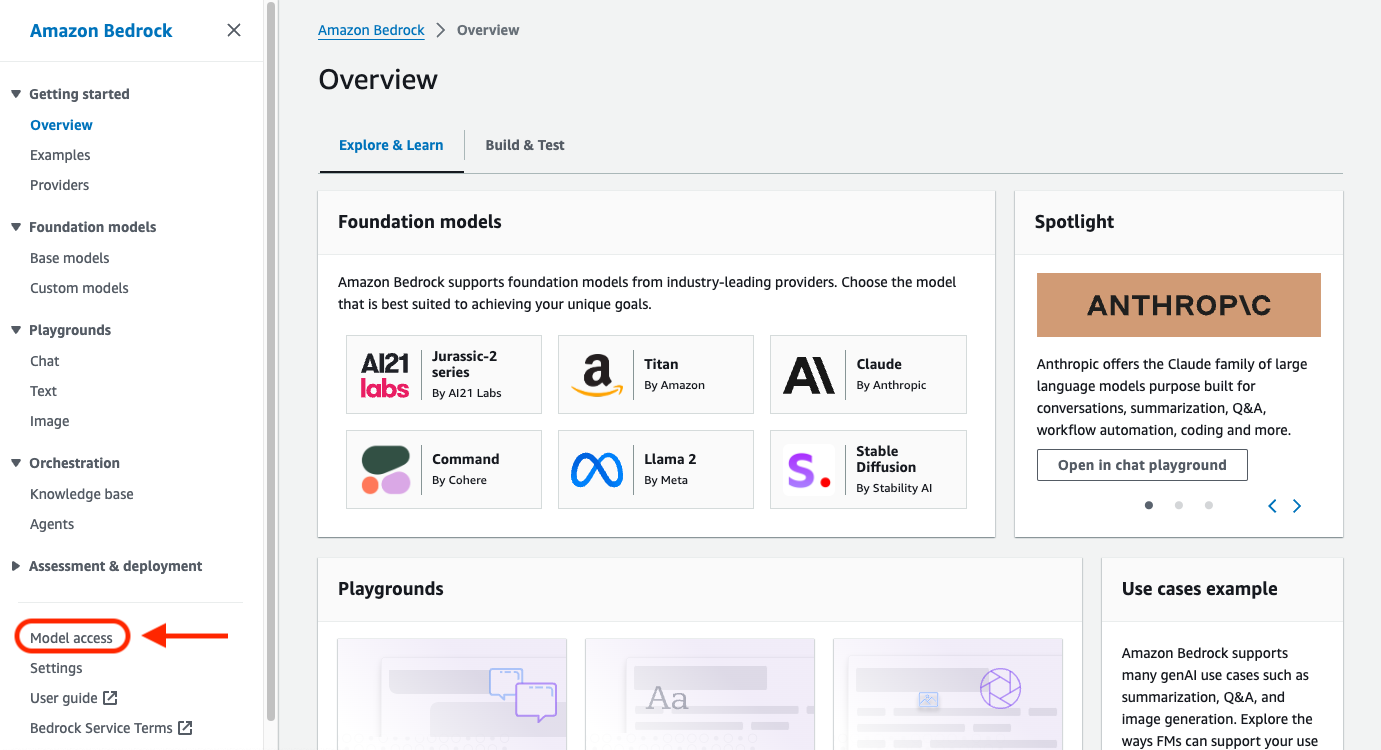
To manage model access, select Model access at the bottom of the left navigation pane in the Amazon Bedrock management console. The model access page lets you view a list of available models, the output modality of the model, whether you have been granted access to it, and the End User License Agreement (EULA). You should review the EULA for terms and conditions of using a model before requesting access to it. For information about model pricing, refer to Amazon Bedrock Pricing
-
Login to the AWS Console and navigate to Amazon Bedrock
-
Request model access for supporting bedrock models
-
Under Assessment & deployment choose “Model Access”
-
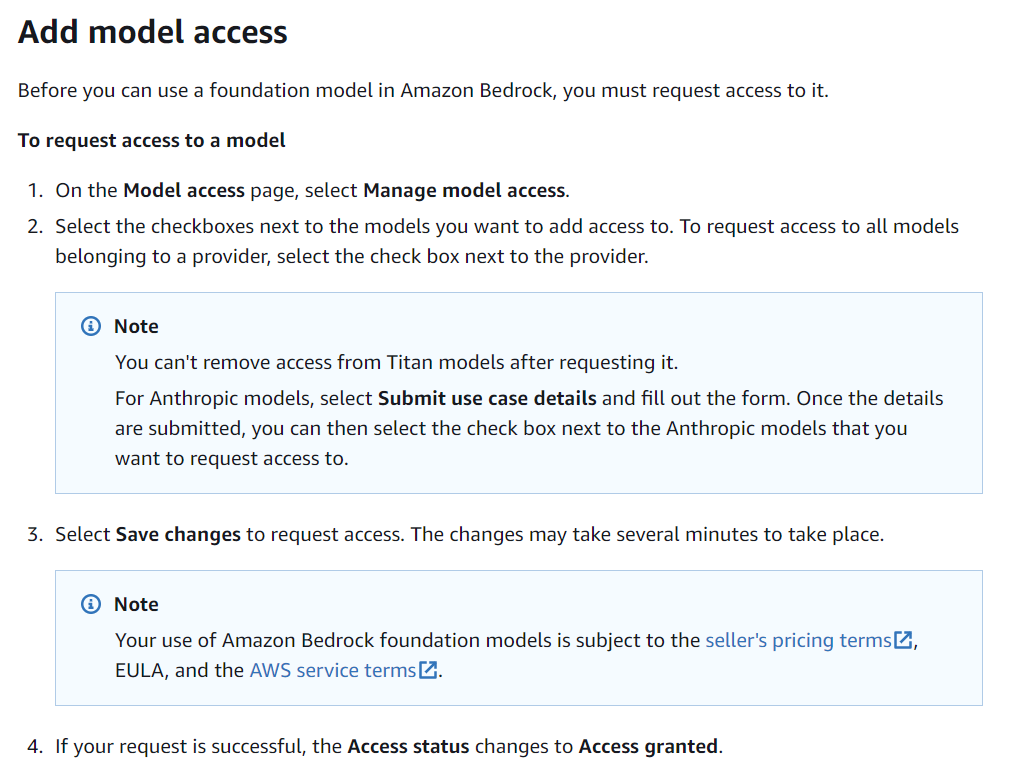
From Model Access page, click “Manage model access”
-
Choose models (currently supporting)
- Amazon
- Titan Embeddings G1 – Text
- Used for text -> vector.
- Titan Text G1 – Express
- Used for text summarization.
- Titan Multimodal Embeddings G1
- Used for image -> vector.
- Anthropic
- Claude 3 Haiku
- Used for Image -> Text.
- Titan Embeddings G1 – Text
- Amazon
-
NOTE: In order to enable the Anthropic models, Amazon currently requires a use case submission.
-
-
-
In order for compute resources to invoke the Bedrock models, the relevant IAM roles need to include “Allow” access to InvokeModel.
-
{
	"Version": "2012-10-17",
	"Statement": [
		{
			"Sid": "VisualEditor0",
			"Effect": "Allow",
			"Action": [
				"bedrock:InvokeModel",
				"bedrock:InvokeModelWithResponseStream"
			],
			"Resource": "arn:aws:bedrock:*::foundation-model/<model-id>"
		}
	]
}
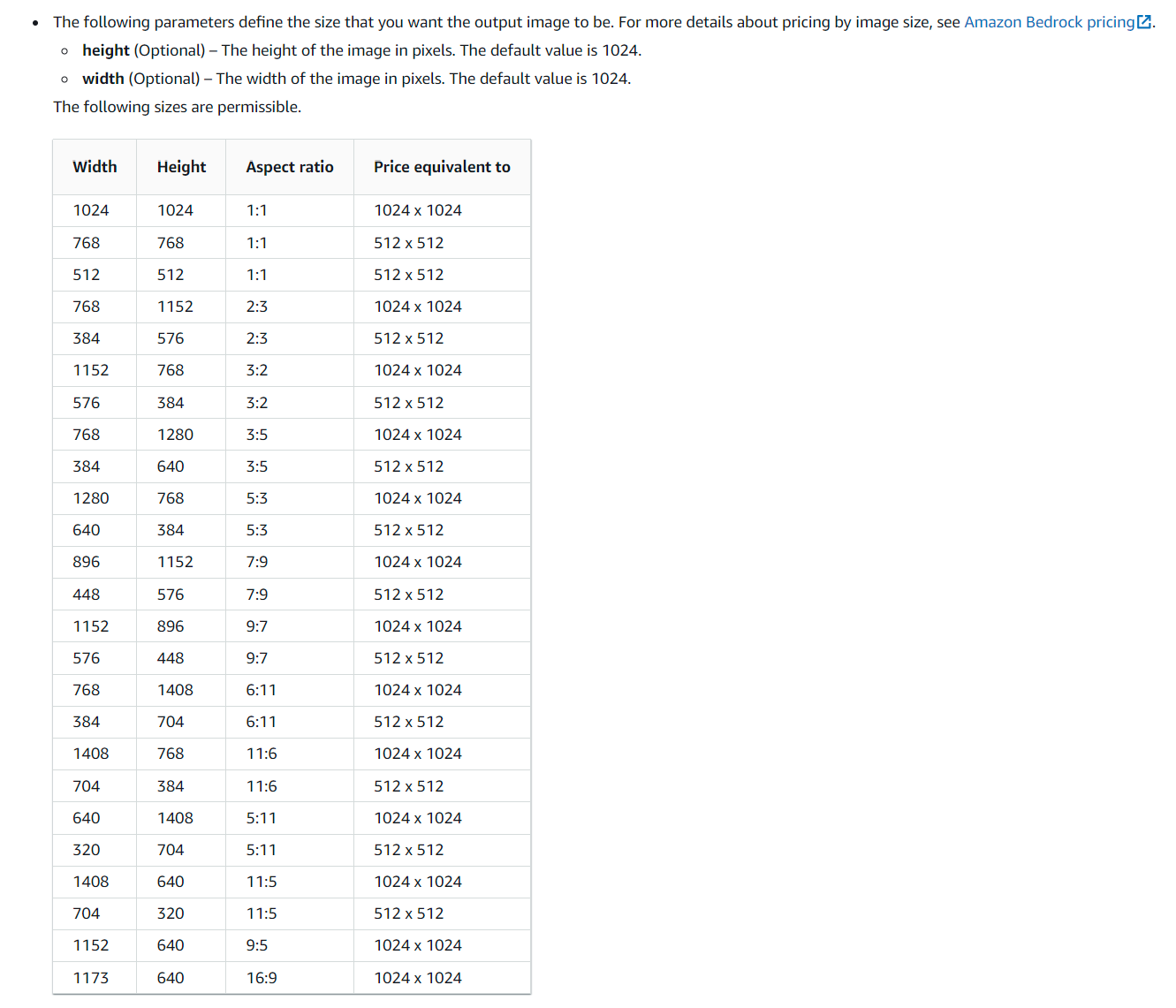
Image Width / Height RestrictionsThe AWS documentation states that the dimensions for the output image must be one of the following (see table below), it is also a requirement for the image to be one of these sizes that is being edited / modified.
The system will attempt to down size the image to one of the valid values outlined below.
These notes are specific to the Amazon Titan Image Generator G1 model.
AWS Bedrock Base Modelshttps://us-west-2.console.aws.amazon.com/bedrock/home?region=us-west-2#/models
Bedrock How To - Setup Guidehttps://docs.aws.amazon.com/bedrock/latest/userguide/setting-up.html
Bedrock Model Accesshttps://docs.aws.amazon.com/bedrock/latest/userguide/model-access.html
Bedrock Prompt Engineeringhttps://docs.aws.amazon.com/bedrock/latest/userguide/prompt-engineering-guidelines.html
https://docs.aws.amazon.com/bedrock/latest/userguide/what-is-prompt-engineering.html
Updated 5 months ago